

South Korea eSIM
Local eSIM · 5G/4G
Earn €2.10 cashback with this purchase
K-pop tours, Seoul's subway, Busan's beaches — one eSIM keeps you connected across South Korea's cities end to end.
Choose your plan
Not sure how much data you need? Use the data calculator
Data-only plan on SKT, SK Telecom, and LG 5G/4G networks. Starts when you first connect in South Korea.
- Network
- 5G / 4G
- Speed
- Full speed, no daily cap
- Hotspot
- Allowed
- Top-up
- Not available
- Data usage
- Live in the app
- Validity
- 30 days from activation
- Activation
- When you connect at your destination
- Activate within
- 1 month of purchase
What’s included
- Instant QR code by email and in the app
- Keep your home number for calls and SMS
- 24/7 support on WhatsApp and email
Travelling beyond South Korea?
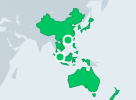
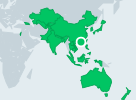
Regional plans that include South Korea.
South Korea eSIM: data for Seoul, Busan and Jeju
A South Korea eSIM gives your phone mobile data across the country without a Korean SIM card or a rental counter at Incheon. Buy a plan here, install it at home on Wi-Fi, and switch to it for mobile data when you land in Seoul, Busan or Jeju. Your usual number stays on your phone for calls and texts, so bank codes and WhatsApp keep working as before.
It is a data plan: maps, messaging, taxi and transport apps, translation, bookings and video calls all run on it. You do not get a Korean phone number.
Which networks does a South Korea eSIM use?
Our South Korea plans connect to SK Telecom and LG U+, and each plan shows the networks it uses before you buy. Korea has some of the best mobile coverage anywhere: 5G across Seoul, Busan and the other cities, signal in the subway and on the KTX high-speed trains, and good coverage on Jeju.
Apps you will use in Korea
- Naver Map or KakaoMap for directions: Google Maps gives only limited walking and driving directions in Korea.
- Kakao T for taxis.
- Papago or another translation app for menus and signs.
Download them before you fly; all of them run on the eSIM's data.
How much data do you need in South Korea?
- A week in Seoul: 5 GB covers maps, messaging, transport apps and photos.
- Two weeks around the country: 10–20 GB, more if you post videos or make video calls every day.
- A month or remote work: 30 GB or more, especially if you share your connection with a laptop.
The data calculator estimates it from what you plan to do.
Setting up your South Korea eSIM
- Check that your phone is unlocked and supports eSIM.
- Install the eSIM before you fly, on Wi-Fi, from the QR code or in the MobiSIM app.
- When you arrive, select the eSIM for mobile data and turn on Data Roaming for that line.
- Keep Data Roaming off on your home line, so your own operator does not charge you for data.
A plan's days usually start when the eSIM first connects to a Korean network, not when you buy it. Combining Korea with Japan or Taiwan? The Asia eSIM covers all three, and the best eSIM for South Korea compares our Korea plans.
eSIM vs airport sim
| Compare | eSIM | Airport SIM | Roaming |
|---|---|---|---|
| Setup | Scan a QR, 2 min | Queue at arrivals | Automatic |
| Keep your number | Yes | No — SIM swap | Yes |
| Bill surprises | None, prepaid | None | Common |
Activate before you land
Install your eSIM at home on Wi-Fi, then switch on the MobiSIM line when you land in South Korea. Your plan's days only start on first connection.
Cities and the countryside
Coverage is strongest in cities and along main transport routes. Download offline maps before heading into national parks or remote areas.
Keep your number
Your home SIM stays active for calls and SMS codes from your bank. WhatsApp and iMessage keep your usual number while MobiSIM handles data.
South Korea eSIM FAQ
Can I connect my eSIM immediately after landing at Incheon Airport?
Will one eSIM work in Seoul, Busan and Jeju?
Can I use mobile data on Seoul’s subway?
Is 5G guaranteed with a South Korea plan?
What reception should I expect on Jeju’s Olle trails?
Will mobile data work while hiking in Seoraksan?
How much data should I choose for a week in Seoul?
Why is the eSIM connected but a local app cannot find my location?
Compare the best eSIM plans for South Korea
 Nepal eSIM
 Sri Lanka eSIM
 Bangladesh eSIM
 Pakistan eSIM
 Qatar eSIM
 Tajikistan eSIM
 Kuwait eSIM