

Indonesia eSIM
Local eSIM · 5G/4G/LTE
Earn €2.25 cashback with this purchase
Bali's rice terraces, Jakarta's streets, Lombok's coastline — get your eSIM working before the plane touches down anywhere in Indonesia.
Choose your plan
Not sure how much data you need? Use the data calculator
Data-only plan on Telkomsel, XL, and Smartfren 5G/4G/LTE networks. Starts when you first connect in Indonesia.
- Network
- 5G / 4G / LTE
- Speed
- Full speed, no daily cap
- Hotspot
- Allowed
- Top-up
- In the app
- Data usage
- Live in the app
- Validity
- 30 days from activation
- Activation
- When you connect at your destination
- Activate within
- 1 month of purchase
What’s included
- Instant QR code by email and in the app
- Keep your home number for calls and SMS
- Top up anytime without a new QR code
- 24/7 support on WhatsApp and email
Travelling beyond Indonesia?
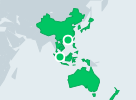
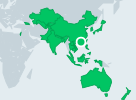
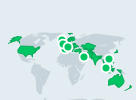
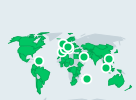
Regional plans that include Indonesia.

Using an Indonesia eSIM on your trip
An Indonesia eSIM gives your phone mobile data when you land in Bali (Denpasar) or Jakarta, with no local SIM card to queue for at the airport. Buy a plan on this page, install it at home on Wi-Fi and switch to it for mobile data on arrival, which is when you need it: to call a ride, message your hotel or villa and find your way. Your usual number stays on your phone, and WhatsApp keeps working on it.
Bali, Jakarta, Lombok, Yogyakarta and the rest of Indonesia
The same eSIM works on different islands wherever its network has signal: in Bali, from Canggu and Seminyak to Ubud and Uluwatu, and in Jakarta, Yogyakarta, Surabaya and Lombok. Coverage is good in cities and the main tourist areas and changes a lot outside them. On the Gili Islands it is best around the main settlements, in Komodo National Park and on boat crossings you should not count on it, and on Mount Rinjani there is little or none. Save maps, tour details and your operator’s contact before those days.
How much data do you need in Indonesia?
A week or two of maps, messaging, ride-hailing and bookings fits in 3–5 GB. If you post photos and videos every day, choose 10 GB or more. Working remotely from Bali, with video meetings, cloud files and a laptop on your phone’s hotspot, uses far more: take one of the larger plans. The data calculator gives a figure for your own use, and our guide for digital nomads covers longer stays.
Setting up your Indonesia eSIM
- Check that your phone is unlocked and supports eSIM: see the list of compatible phones.
- Install the eSIM before you fly, on Wi-Fi, from the QR code or in the MobiSIM app. The install guide shows each step.
- When you arrive in Indonesia, select the eSIM for mobile data and turn on Data Roaming for that line.
- Keep Data Roaming off on your home line, so your own operator does not charge you for data.
Combining Indonesia with other countries
Some of the plans on this page cover other countries as well as Indonesia; each plan’s details list them. If your trip includes Singapore, Malaysia or Thailand, choose a plan that names those countries: compare the Asia eSIM and the Asia-Pacific eSIM, or see all regional plans.
eSIM vs airport sim
| Compare | eSIM | Airport SIM | Roaming |
|---|---|---|---|
| Setup | Scan a QR, 2 min | Queue at arrivals | Automatic |
| Keep your number | Yes | No — SIM swap | Yes |
| Bill surprises | None, prepaid | None | Common |
Activate before you land
Install your eSIM at home on Wi-Fi, then switch on the MobiSIM line when you land in Indonesia. Your plan's days only start on first connection.
Cities and the countryside
Coverage is strongest in cities and along main transport routes. Download offline maps before heading into national parks or remote areas.
Keep your number
Your home SIM stays active for calls and SMS codes from your bank. WhatsApp and iMessage keep your usual number while MobiSIM handles data.
Indonesia eSIM FAQ
Can I use an eSIM after landing in Bali or Jakarta?
Will the same eSIM work on Java, Bali and Lombok?
Can I stay connected on the Gili Islands?
Will mobile data work inside Komodo National Park?
Should I download maps before hiking Mount Rinjani?
Does an Indonesia package include Malaysia or Singapore?
How much data should I choose for working remotely from Bali?
Why is my phone connected but unable to load websites in Indonesia?
Compare the best eSIM plans for Indonesia
 Nepal eSIM
 Sri Lanka eSIM
 Bangladesh eSIM
 Pakistan eSIM
 Qatar eSIM
 Tajikistan eSIM
 Kuwait eSIM