Company LogoMobiSIM
Tunisia flag

Tunisia eSIM

Local eSIM · 5G/4G

Earn €5.55 cashback with this purchase

Maps, messaging and ride-hailing working the moment you land in Tunisia. Fast local networks in every major city.

Choose your plan

Choose your plan

Not sure how much data you need? Use the data calculator

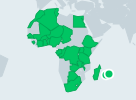
Data-only plan across Africa. Switches to the best local network at every border and starts on first connection.

Your phone must support eSIM and be carrier-unlocked. Check compatibility
Data
Calls
SMS
Network
5G / 4G
Speed
Full speed, no daily cap
Hotspot
Allowed
Top-up
Not available
Data usage
Live in the app
Validity
30 days from activation
Activation
When you connect at your destination
Activate within
1 month of purchase

What’s included

  • Instant QR code by email and in the app
  • Keep your home number for calls and SMS
  • 24/7 support on WhatsApp and email
Tunisia 20 GB · 30 days€36.99
€36.99

eSIM vs airport sim

CompareeSIMAirport SIMRoaming
SetupScan a QR, 2 minQueue at arrivalsAutomatic
Keep your numberYesNo — SIM swapYes
Bill surprisesNone, prepaidNoneCommon

Activate before you land

Install your eSIM at home on Wi-Fi, then switch on the MobiSIM line when you land in Tunisia. Your plan's days only start on first connection.

Cities and the countryside

Coverage is strongest in cities and along main transport routes. Download offline maps before heading into national parks or remote areas.

Keep your number

Your home SIM stays active for calls and SMS codes from your bank. WhatsApp and iMessage keep your usual number while MobiSIM handles data.

Tunisia eSIM FAQ

Are MobiSIM eSIM packages available for Tunisia?
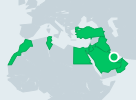
Yes. The Tunisia page currently presents several Middle East, African, European, and global options. Verify that Tunisia appears in the selected plan's country list before completing the purchase.
Can I activate my eSIM after landing in Tunis?
You can activate it according to the package instructions, but installing the profile before travelling is safer. This avoids depending on airport Wi-Fi to download the eSIM after arrival.
Does mobile coverage extend to Djerba?
Developed towns, resort areas, and major roads on Djerba generally have better mobile access. Connectivity can still vary on quieter beaches, rural sections, and during journeys away from populated areas.
Will an eSIM work during a Sahara excursion from Douz?
Service may be available in Douz and other established towns, but it can weaken or disappear in dune regions and remote desert areas. Do not depend on cellular data for desert navigation or emergency communication.
Why is offline navigation useful inside Tunis Medina?
The medina contains narrow streets, covered passages, and dense groups of shops where GPS accuracy or reception may fluctuate. Saving the hotel location and important landmarks offline provides a useful backup.
Can I keep receiving SMS on my normal number in Tunisia?
A compatible dual-SIM device can usually keep the primary line active while MobiSIM supplies data. Your home operator may charge for roaming services, so review its rates and disable data on that line.
Which package should I choose for Tunis, Sousse, and Tozeur?
Select a plan covering the complete duration and enough data for maps, bookings, messaging, and expected media use. A multi-country plan may be more suitable if Tunisia is one stop in a broader journey.
What can I try if my connection stops outside a Tunisian city?
Move to a more open or populated location, toggle airplane mode, and restart the device. Confirm the correct data line and APN, but remember that missing local coverage cannot be fixed through phone settings.

Nearby destinations